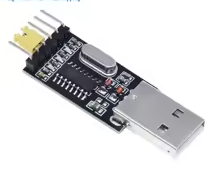
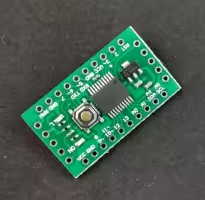
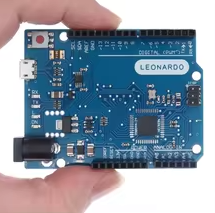
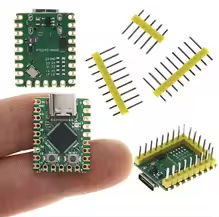
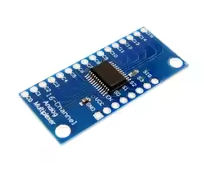
CH340 USB to TTL Serial Converter Module
Upgrade Download Board for STC Microcontrollers
The CH340 module is a USB to TTL serial converter designed for programming, debugging, and communication with STC microcontrollers and other development boards. It provides a reliable and cost-effective bridge between USB and UART interfaces.
Simple USBtoSerial Bridge - Converts USB to TTL serial (UART) levels
Compatible with STC and Arduino - Ideal for programming microcontrollers
Operating voltage is 3.3V or 5V - selectable via jumper
Use RXD, TXD, VCC, and GND pins for connecting to target devices
Powering target from USB port may cause issues use external power for highcurrent targets
Technical Specifications
| Parameter | Value |
|---|
| Chip | CH340G |
| Interface | USB 2.0 to TTL UART |
| Operating Voltage | 3.3V or 5V (selectable) |
| Data Rate | 50bps to 2Mbps |
| Buffer Size | 16-byte TX/RX |
| LED Indicators | Power, TX, RX |
| Dimensions | 45mm x 17mm |
= Key Features =
Easy Setup - CH340 drivers available for Windows, Linux, and macOS
Selectable Voltage - 3.3V or 5V output for target board
Builtin LDO 3.3V / 5V voltage regulator for target board power
Onboard LEDs - Power, TX, and RX status indicators
Standard Pinout - Header pins for easy breadboard connection
= Applications =
- STC MCU programming and firmware upgrades
- Arduino serial communication
- Serial console connection for Linux devices
- MIDI interface for synthesizers
- 3D printer and CNC control
- Sensor data logging via UART
Popular for STC programming - Reliable driver support
Easy to Use - No extra hardware required
√ Supported by major operating systems
√ Plugandplay driver installation on most platforms
√ Selectable output voltage for target board
Connection Guide
Standard pinout:
- GND: Ground connection to target
- RXD: Serial receive (connect to target TX)
- TXD: Serial transmit (connect to target RX)
- VCC: Power output (3.3V or 5V)
- RTS / CTS: Flow control (not used typically)
Use straight-through connection for Arduino (RX to TX, TX to RX)
Connect RXD of module to TXD of target for programming
Do not connect VCC to a target that is already powered
Use level shifting for 5V to 3.3V target devices
Troubleshooting
Driver not recognized:
- Download CH340 driver from official source
- Check driver installation in Device Manager
- Avoid using virtual machines for first-time setup
No serial communication:
- Check baud rate settings match target
- Verify correct port selected
- Ensure ground connection exists between module and target
Windows 10/11 driver issues:
- Use compatible driver (CH341SER or CH340)
- Disable driver signing in Test Mode for Windows 10
- Check Device Manager for driver conflicts