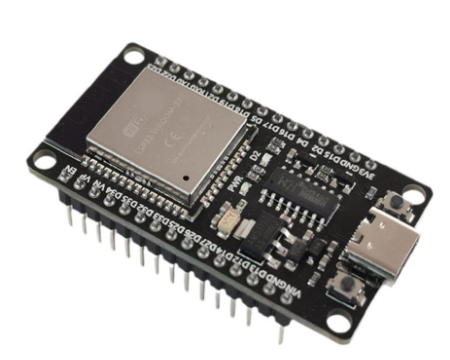
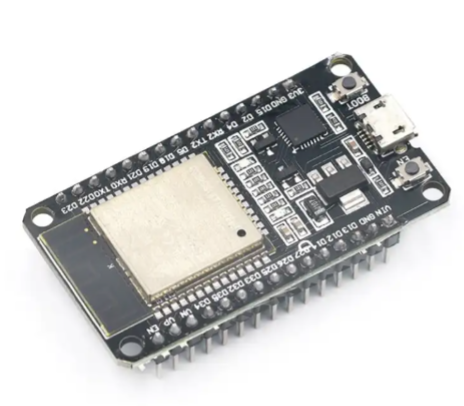
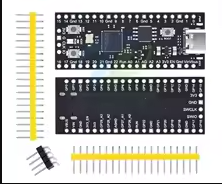
ESP32 Development Board
LowPower DualCore IoT WiFi + Bluetooth Development Board
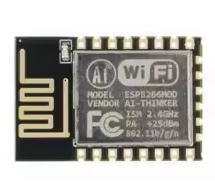
The ESP32 development board is a featurerich, lowpower dualcore microcontroller platform with integrated WiFi and Bluetooth capabilities, widely used for Internet of Things (IoT) projects, home automation, and prototyping [citation:6][citation:8][citation:10].
Powerful DualCore Processing Xtensa LX6 processor running at up to 240 MHz with 520KB SRAM [citation:1][citation:7]
Integrated 2.4 GHz Connectivity Builtin Wi-Fi (802.11 b/g/n) and Bluetooth 4.2 (Classic + BLE) [citation:1][citation:8]
The core operating voltage is 3.3V, but the board can be powered via USB (5V) or by applying 5V to the VIN pin, which goes through an onboard voltage regulator [citation:6][citation:10].
In the Arduino IDE, select the appropriate board (e.g., "ESP32 Dev Module" or "ESP32C3 Dev Module").
Input pins are not 5V tolerant. Applying 5V logic directly to GPIO pins can damage the ESP32. Use level shifters when interfacing with 5V components [citation:3][citation:10].
Technical Specifications
| Parameter | Value |
|---|
| Processor | ESP32 Dual-Core Xtensa LX6 / LX7 (varies by model) [citation:1][citation:5] |
| Clock Speed | Up to 240 MHz [citation:1][citation:6] |
| SRAM | 520 KB [citation:1][citation:3] |
| Flash Memory | 4 MB (standard) [citation:1][citation:6] |
| Wi-Fi | 802.11 b/g/n (2.4 GHz) [citation:1][citation:4] |
| Bluetooth | v4.2 BR/EDR and BLE [citation:1][citation:4] |
| GPIO Pins | Varies by board (e.g., 30, 34, 38 pins) [citation:1][citation:8] |
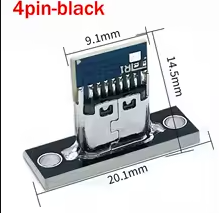
| USB Interface | MicroUSB or USBC (for power and programming) [citation:1][citation:6] |
## Power and Pin Configuration
*Power Pins:*
- *VIN*: 5V power input for the onboard voltage regulator [citation:3][citation:6].
- *3V3*: 3.3V output from the regulator (max current limited by LDO) [citation:3][citation:10].
- *GND*: Ground connection [citation:3][citation:10].
*Important GPIO Notes [citation:3][citation:10]:*
- *InputOnly Pins (GPIO3439)*: Some pins are inputonly and lack internal pullup resistors [citation:3][citation:10].
- *FlashReserved Pins (GPIO611)*: Used for internal flash memory on some modules; avoid using them [citation:3][citation:10].
Many development boards like the DevKitC or WROOM-based boards break out most GPIO pins for easy prototyping [citation:7][citation:10].
Key Features and Variants
Flexible Power Options - Can be powered via USB or by supplying 5V to VIN, which feeds the onboard voltage regulator [citation:6][citation:10].
USBtoSerial Programming Boards feature an onboard USBto-serial chip (e.g., CH340, CH9102, CP210x) for easy programming [citation:1][citation:7][citation:8].
Rich Peripheral Support - Includes support for ADC, DAC, touch sensors, SPI, I2C, I2S, UART, and CAN [citation:1][citation:3].
LowPower Operation Features deep sleep modes with currents as low as 2.5 µA [citation:8].
# Applications
- IoT sensors, smart home devices, and automation systems [citation:1][citation:3].
- Wireless data logging, monitoring, and remote control [citation:1][citation:5].
- Robotics, drones, and embedded vision (with camera modules) [citation:1][citation:3].
- Bluetooth Low Energy (BLE) beacons and peripheral devices [citation:1][citation:5].
- Voice recognition and audio streaming [citation:1][citation:12].
A Versatile, IndustryStandard Platform A mature ecosystem with strong community support.
Extensive Development Options Compatible with Arduino IDE, ESPIDF, and MicroPython.
√ Widely available with various form factors (e.g., DevKit, Nano-sized).
√ Compatible with thousands of libraries and example projects.
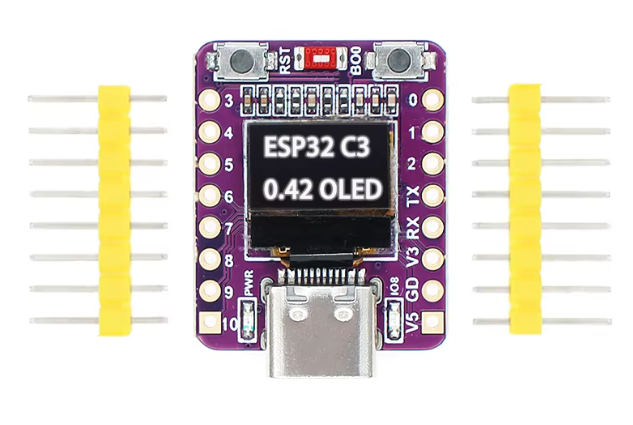
√ Multiple variants available, including the RISCV based ESP32C3 [citation:2][citation:5] and more powerful ESP32-S3 [citation:4].
## Troubleshooting
Board not detected:
- Use a datacapable USB cable (not chargeonly) [citation:6].
- Install the correct USBtoserial driver (e.g., CH340 or CP210x) for your operating system [citation:1][citation:6].
- Try a different USB port on your computer.
Upload fails:
- Select the correct board and port in your IDE.
- Press and hold the BOOT button while uploading if the board doesn't automatically enter flash mode [citation:2].
- Check that the selected USB port matches the connected device.
Wi-Fi connection issues:
- Ensure your device connects to a 2.4GHz network (not 5GHz) [citation:3].
- Verify SSID and password in the sketch.
- Check signal strength and antenna connection.