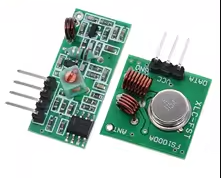
HC-06 Bluetooth Module
KSH 500.00
In Stock
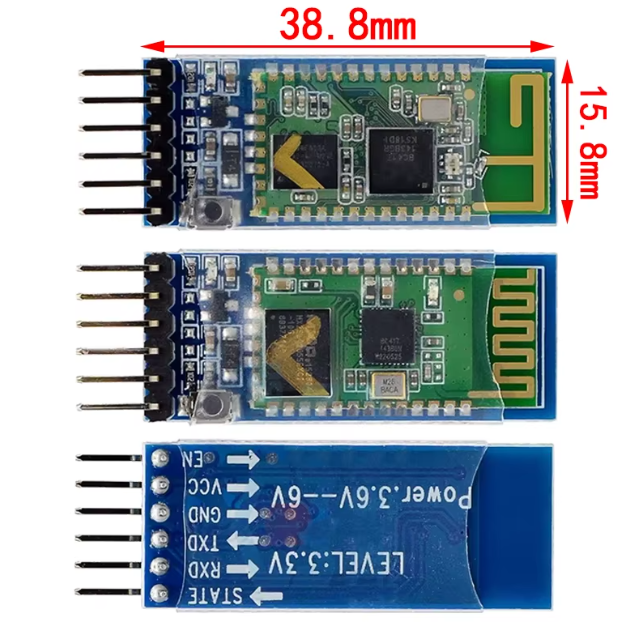
The HC06 is a Bluetooth 2.0+EDR serial transceiver module designed for simple wireless serial communication [citation:2][citation:11]. It allows Arduino and other microcontrollers to communicate wirelessly with Bluetoothenabled devices like smartphones and PCs [citation:4][citation:7].
| Parameter | Value |
|---|---|
| Bluetooth Version | 2.0+EDR [citation:2][citation:5] |
| Frequency Band | 2.4GHz ISM [citation:2][citation:11] |
| Default Baud Rate | 9600 [citation:6][citation:7] |
| Supply Voltage | 3.3V to 6V [citation:7][citation:8] |
| Operating Current | 8mA to 50mA [citation:1][citation:11] |
| Communication Range | Up to 10 meters [citation:9][citation:12] |
| Operating Mode | Slave only [citation:7][citation:12] |
= Key Features =
Simple AT Command Configuration - Change name, PIN, or baud rate via serial terminal [citation:1][citation:4]
Low Power Consumption - 8mA when connected, ideal for battery projects [citation:1]
Compact Size 27mm x 13mm footprint for spaceconstrained designs [citation:8][citation:11]
Onboard Antenna Builtin 2.4GHz antenna, no external antenna needed [citation:8][citation:11]
Default 9600 Baud - Works out of the box with Arduino SoftwareSerial [citation:7][citation:9]
√ Default 9600 baud rate for plugandplay use
√ Includes LED status indicator (blinking unpaired, solid connected) [citation:4]
√ Works with popular Bluetooth Terminal apps on Android and iOS
To Arduino (SoftwareSerial on pins 2 & 3) [citation:4][citation:7]:
| Command | Response | Effect |
|---|---|---|
| AT | OK | Test communication [citation:4][citation:7] |
| AT+VERSION | OKlinvorV1.8 | Get firmware version [citation:1][citation:4] |
| AT+NAME | OKsetname | Change module name [citation:1][citation:4] |
AT+PIN | OKsetPIN | Set pairing PIN [citation:1][citation:4] |
| AT+BAUDx | OK | Change baud rate (x=1-9) [citation:4][citation:7] |
Baud rate codes: 11200, 22400, 34800, 49600(default), 519200, 638400, 757600, 8115200 [citation:4][citation:7]
No AT response:
No pairing:
LED not blinking: