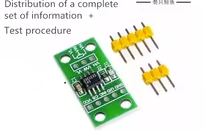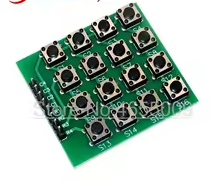
8pin 4x4 4*4 Matrix 16 Keys Button Keypad Keyboard Breadboard Module MCU for arduino Diy Kit
KSH 300.00
Out of Stock
This 4x4 matrix keypad module provides 16 programmable buttons in a compact breadboard-friendly design. Using only 8 pins (4 rows and 4 columns), it expands user input capability for Arduino and MCU projects.
| Parameter | Value |
|---|---|
| Key Arrangement | 4x4 Matrix |
| Number of Keys | 16 buttons |
| Pin Count | 8 (4 rows + 4 columns) |
| Contact Type | Momentary tactile |
| Operating Voltage | 3.3V to 5V |
| Interface | Digital I/O |
| Mounting | Through-hole or breadboard |
= Key Features =
Compact Design - Small footprint for tight projects
Standard Layout - 4x4 grid with clear labeling
Breadboard Friendly - 2.54mm pin spacing
Durable Buttons - Rated for thousands of presses
Tactile Feedback - Clicky response when pressed
√ Includes pin headers
√ Ready for breadboard and PCB
√ Pre-assembled and tested
Pin identification:
Wiring to Arduino:
How scanning works:
Simple Scanning - Standard matrix technique
Quick Response - Fast enough for typing
√ Key labels for easy reference
√ Membrane or PCB options available
Keypad library functions:
Custom key assignment:
Library Support - Keypad.h available
Easy Customization - Map any keys
√ Tutorials available online
√ Library examples included
No key detected:
Wrong key read:






 2.png "Buy MQ-5 Gas Sensor Module for KSH 600 – HIMASTORES Mombasa – Quality electronics in Mombasa, Kenya")