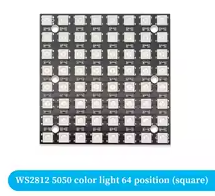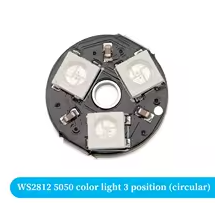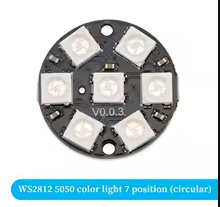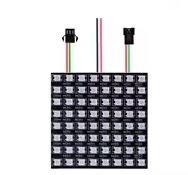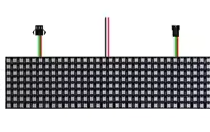
WS2812B RGB LED Flexible 8x32 Pixel Panel Strip Matrix Screen WS2812 Module Individually Addressable IC DC5V
KSH 1,000.00
Out of Stock
The WS2812B RGB LED Flexible 8x32 Pixel Panel is a highquality, individually addressable LED matrix featuring 256 bright RGB LEDs in an 8x32 arrangement. Each LED contains a builtin WS2812B control IC, allowing independent color and brightness control of every pixel. Perfect for creating stunning displays, animations, scrolling text, and visual effects with Arduino, ESP32, and other microcontrollers.
| Parameter | Value |
|---|---|
| Model | WS2812B 8x32 Panel |
| LED Type | WS2812B (Individually Addressable) |
| Matrix Size | 8 Rows x 32 Columns |
| Total LEDs | 256 LEDs |
| Color | Full RGB (16.7 million colors) |
| Supply Voltage | DC 5V |
| Current per LED | 60mA (max, full white) |
| Total Current Max | 15.36A (full white all LEDs) |
| Interface | Single-wire control (DIN) |
| Data Rate | 800Kbps |
| Refresh Rate | Up to 2kHz |
| Viewing Angle | 120 degrees |
| Flexibility | Flexible PCB |
| Operating Temperature | -25°C ~ +85°C |
| Connector Type | 3-pin JST (VCC, GND, DIN) |
| Dimensions | ~ 160mm x 40mm (approx) |
= Key Features =
Individually Addressable - Control each LED independently
256 Bright LEDs - 8x32 matrix for large displays
High Brightness - Vivid colors with high output
Flexible Design - Bendable for curved installations
Easy DaisyChain Connect multiple panels together
Fast Refresh Rate - Smooth animations and effects
SingleWire Control Simple wiring and connectivity
Builtin IC WS2812B driver per LED
Wide Viewing Angle - 120° visibility
Versatile Applications - Displays, signs, effects
| Arduino Pin | WS2812B Panel | Wire Color |
|---|---|---|
| 5V | VCC | Red |
| GND | GND | Black |
| D6 (or D2) | DIN (Data In) | Green |
> Connect VCC to 5V power supply
√ Perfect for scrolling text and animations
√ Easy to program with FastLED library
√ Daisy-chain support for larger displays
√ High-quality soldering and assembly
√ Vibrant colors with 16.7 million options
√ Low cost per pixel for large installations
## Arduino Test Code
# Method 1: Using FastLED Library (Recommended)
// WS2812B 8x32 LED Panel Test Code // Using FastLED Library // Connect DIN to Pin D6, VCC to 5V, GND to GND#include
// Configuration
#define LED_PIN 6 // Data pin connected to DIN
#define NUM_LEDS 256 // 8x32 = 256 LEDs
#define MATRIX_ROWS 8
#define MATRIX_COLS 32
#define BRIGHTNESS 50 // 0-255 (50 for testing)
CRGB leds[NUM_LEDS];
// ================
// SETUP
// ================
void setup() {
Serial.begin(115200);
// Initialize LEDs
FastLED.addLeds
FastLED.setBrightness(BRIGHTNESS);
Serial.println("= WS2812B 8x32 Panel Test =");
Serial.println("Running test patterns...");
delay(500);
}
// ================
// MAIN LOOP
// ================
void loop() {
// Test 1: Solid Colors
fillAll(CRGB::Red);
delay(1000);
fillAll(CRGB::Green);
delay(1000);
fillAll(CRGB::Blue);
delay(1000);
// Test 2: Rainbow
rainbowCycle(10);
// Test 3: Scrolling Pattern
scrollingText("WS2812B");
delay(1000);
// Test 4: Pixel Chase
pixelChase();
delay(1000);
// Test 5: Matrix Animation
matrixRain(50);
// Test 6: Individual Pixel Test
pixelTest();
delay(1000);
}
// ================
// FUNCTIONS
// ================
// Fill all LEDs with a single color
void fillAll(CRGB color) {
fillsolid(leds, NUMLEDS, color);
FastLED.show();
delay(100);
}
// Rainbow cycle animation
void rainbowCycle(uint8_t wait) {
for (int j = 0; j < 256; j++) {
for (int i = 0; i < NUM_LEDS; i++) {
leds[i] = CHSV(i + j, 255, 255);
}
FastLED.show();
delay(wait);
}
}
// Scrolling text on 8x32 matrix
void scrollingText(String text) {
int textLength = text.length();
for (int offset = 0; offset < textLength * 8 32; offset+) {
clearMatrix();
for (int col = 0; col < 32; col++) {
for (int row = 0; row < 8; row++) {
int charIndex = (offset + col) / 8;
if (charIndex < textLength && charIndex >= 0) {
char c = text[charIndex];
int bitPos = 7 - ((offset + col) % 8);
// Simple 5x7 font would go here
// For demo, just display colored pixels
if (col < textLength * 8) {
int index = row * 32 + col;
leds[index] = CHSV((row * 32 + col) % 256, 255, 255);
}
}
}
}
FastLED.show();
delay(50);
}
clearMatrix();
FastLED.show();
}
// Clear all LEDs
void clearMatrix() {
fillsolid(leds, NUMLEDS, CRGB::Black);
FastLED.show();
}
// Pixel chase animation
void pixelChase() {
for (int i = 0; i < NUM_LEDS; i++) {
clearMatrix();
leds[i] = CRGB::White;
FastLED.show();
delay(10);
}
for (int i NUM_LEDS 1; i > 0; i-) {
clearMatrix();
leds[i] = CRGB::White;
FastLED.show();
delay(10);
}
}
// Matrix rain effect (like Matrix movie)
void matrixRain(int duration) {
unsigned long startTime = millis();
while (millis() - startTime < duration) {
for (int col = 0; col < 32; col++) {
int row = random(8);
int index = row * 32 + col;
// Rain drop effect with trail
for (int r = 0; r < 3; r++) {
if (row + r < 8) {
int trailIndex = (row r) * 32 col;
leds[trailIndex] = CRGB(0, random(200, 255), 0); // Green
}
}
leds[index] = CRGB(0, 255, 0); // Bright green
// Fade older LEDs
for (int i = 0; i < NUM_LEDS; i++) {
leds[i].fadeToBlackBy(10);
}
}
FastLED.show();
delay(50);
}
clearMatrix();
}
// Test individual pixels
void pixelTest() {
for (int row = 0; row < 8; row++) {
for (int col = 0; col < 32; col++) {
clearMatrix();
int index = row * 32 + col;
leds[index] = CRGB::White;
FastLED.show();
delay(20);
}
}
// Color test for each pixel
for (int i = 0; i < NUM_LEDS; i++) {
clearMatrix();
leds[i] = CRGB::Red;
FastLED.show();
delay(10);
leds[i] = CRGB::Green;
FastLED.show();
delay(10);
leds[i] = CRGB::Blue;
FastLED.show();
delay(10);
}
clearMatrix();
}