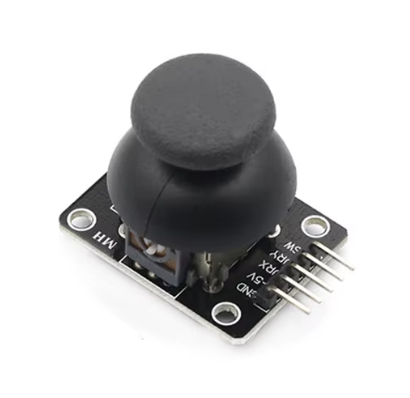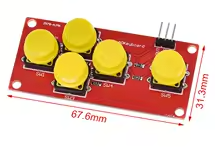
AD Keyboard Simulate Five Key Module Analog Button for arduino Sensor Expansion Board
KSH 150.00
In Stock
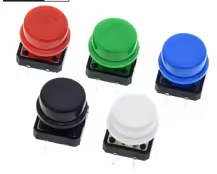
The AD Keyboard Simulate Five Key Module is a compact analog keypad featuring 5 push buttons that output different analog voltages when pressed. Using a single analog pin, this module allows you to read multiple button inputs with just one ADC port, saving valuable digital I/O pins on your Arduino or ESP32.
| Parameter | Value |
|---|---|
| Number of Keys | 5 Push Buttons |
| Output Type | Analog Voltage |
| Supply Voltage | 3.3V - 5V DC |
| Interface | 1 Analog Output VCC GND |
| Connector | 3-pin (SIG, VCC, GND) |
| PCB Dimensions | ~25mm x 25mm |
| Mounting Holes | 2 x 2.5mm |
| Color | Blue / Green PCB |
= Key Features =
Single Analog Pin - Read 5 buttons using only 1 ADC pin
Voltage Detection - Each button outputs unique voltage level
Compact Design - Small footprint for easy integration
Simple Interface - VCC, GND, and SIG connection
Low Power - Negligible current consumption
Easy Integration - Plugs directly into Arduino sensor shield
Flat Design - Low profile for compact projects
| Module Pin | Arduino Pin | Description |
|---|---|---|
| VCC | 3.3V or 5V | Power Supply |
| GND | GND | Ground |
| SIG | Analog Pin (A0) | Analog signal output |
> Connect SIG to analog input pin for reading voltage levels
| Button | Voltage (5V) | ADC Value (10-bit) |
|---|---|---|
| Button 1 (K1) | ~0V | ~0 |
| Button 2 (K2) | ~1.25V | ~256 |
| Button 3 (K3) | ~2.5V | ~512 |
| Button 4 (K4) | ~3.75V | ~768 |
| Button 5 (K5) | ~5V | ~1023 |
| No Press | ~5V | ~1023 |
> Actual voltages may vary - adjust thresholds in code
int analogPin = A0;
int buttonValue = 0;
void setup() {
Serial.begin(9600);
}
void loop() {
buttonValue = analogRead(analogPin);
Serial.print("Analog Value: ");
Serial.println(buttonValue);
if (buttonValue < 50) {
Serial.println("Button K1 Pressed");
} else if (buttonValue < 300) {
Serial.println("Button K2 Pressed");
} else if (buttonValue < 600) {
Serial.println("Button K3 Pressed");
} else if (buttonValue < 850) {
Serial.println("Button K4 Pressed");
} else if (buttonValue < 1024) {
Serial.println("Button K5 Pressed");
} else {
Serial.println("No Button Pressed");
}
delay(200);
}
√ Works with Arduino, ESP32, PIC, and STM32
√ Plugs directly into 3-pin sensor interfaces
√ Low component count for reliability
√ Easy to implement in any project
√ Saves valuable digital I/O pins
The AD Keyboard Simulate Five Key Module is the perfect solution for adding a 5-button interface to your Arduino project using just one analog pin. Simple to use and reliable, it saves valuable I/O pins for other sensors.
ADKEYBOARD 5KEY ANALOGBUTTON ARDUINO ESP32 SENSORMODULE ANALOGINPUT BUTTONMODULE KEYPAD DIY IOT USERINTERFACE New Best Seller AD Keyboard