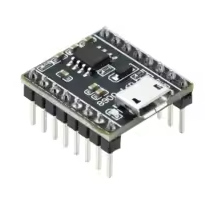
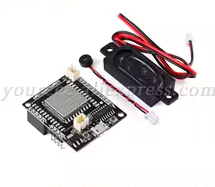
JQ8900-16P Voice Broadcast Module
MP3/WAV Hardware Decoding Player with USB Flash Drive Functionality
The JQ890016P is a compact voice broadcast module that integrates a 16bit MCU and dedicated audio DSP for hardware MP3/WAV decoding [citation:5][citation:6]. Its most notable feature is the ability to simulate the SPI Flash as a USB drive, allowing voice files to be updated simply by dragging and dropping, without requiring special software [citation:1][citation:2]. It features an 8002A 3W amplifier for direct speaker connection [citation:7].
Easy Voice Updating - Connect via USB, computer recognizes as a USB drive, drag and drop files
4MB Onboard Storage Preloaded with 10 demo voices, supports MP3/WAV files
Input Voltage: 2.8V to 5.5V DC (recommended 5V) [citation:1][citation:6]
Current: 500µA standby, 10mA working [citation:6][citation:9]
IO Voltage: 3.3V TTL level [citation:1][citation:6]
Audio Output: Direct speaker connection (3W/8Ω), DAC line-out option [citation:7][citation:13]
Supports up to 32GB Micro SD card via module pins [citation:14]
Key Features
+Flexible Control Modes Twowire UART, one-wire serial, and dedicated IO trigger pins [citation:1][citation:13]
+Busy Signal Output - Indicates when audio is playing [citation:13][citation:15]
+Multiple Storage Support Onboard SPI Flash, TF card, and Udisk options [citation:6][citation:11]
+High Audio Quality 24bit DAC with 90dB dynamic range [citation:6][citation:13]
= Applications =
- Voice announcements for car navigation and toll stations [citation:6]
- Equipment operation guidance and fault alarms [citation:6][citation:13]
- Safety and fire alarm systems [citation:6]
- Voice feedback for smart devices and interactive projects [citation:14]
Versatile and UserFriendly The draganddrop USB drive function simplifies audio file management
Multiple Control Options - Flexible integration for various projects
√ Supports FAT file system [citation:6]
√ Connects directly to an 8Ω speaker [citation:7]
√ Available in multiple control modes for flexible project integration [citation:1]
Troubleshooting
Module not recognized as USB drive:
- Ensure the module is powered (5V) while connecting the USB data cable [citation:1][citation:2]
- Try a different USB cable that supports data transfer
- Verify the module is in a powered-on state
No sound output:
- Check speaker connection to SPK+ and SPK- terminals [citation:15]
- For UART control, verify baud rate is set to 9600 (8 data bits, 1 stop bit, no parity) [citation:2]
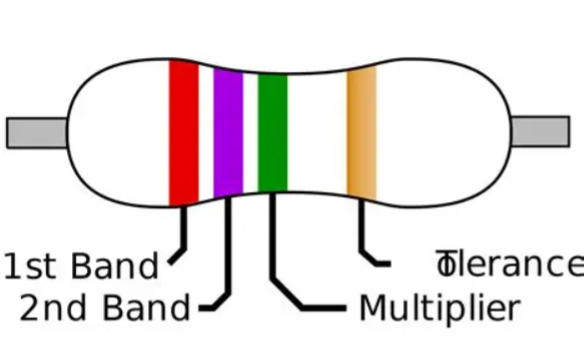
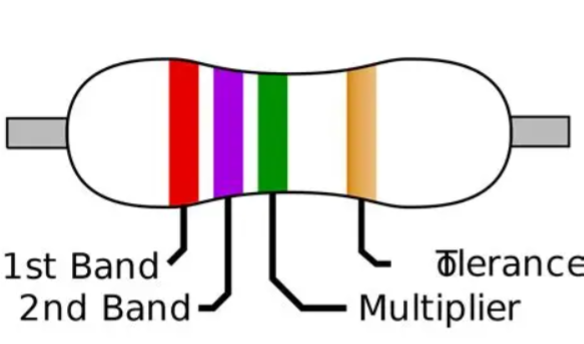
- For 5V systems with 3.3V logic, use a level shifter or a 1kΩ resistor on the RX line [citation:7][citation:14]









 2.png "Buy MQ-5 Gas Sensor Module for KSH 600 – HIMASTORES Mombasa – Quality electronics in Mombasa, Kenya")