Tank Pool Horizontal Water Level Switch Liquid Level Sensor Liquid PP Plastic Ball Float Switch For Arduino – KSH 455 at HIMASTORES Mombasa – best electronics in Kenya

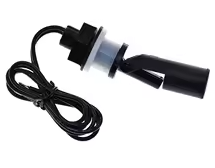
Tank Pool Horizontal Water Level Switch Liquid Level Sensor Liquid PP Plastic Ball Float Switch For Arduino

SKU: HMJ778 Category: Sensors
KSH 455.00
Out of Stock

Product Description

Tank Pool Horizontal Water Level Float Switch Sensor

Liquid Level Sensor with PP Plastic Ball for Arduino

This horizontal float switch provides accurate liquid level detection for tanks, pools, and reservoirs. Its PP plastic construction ensures durability and corrosion resistance for water-based applications[citation:2].

Simple ON/OFF Output - Digital signal for easy Arduino integration
Durable PP Material Corrosionresistant for long-term use
Operates as a reed switch - treat as a sensor, not a power switch
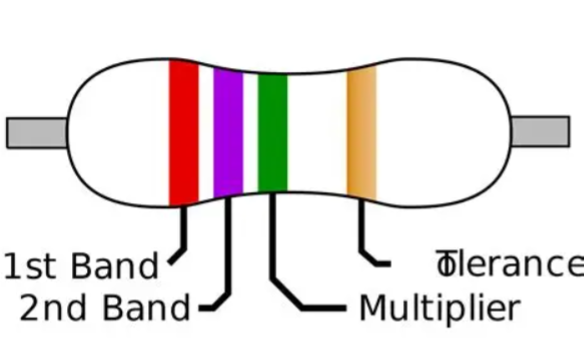
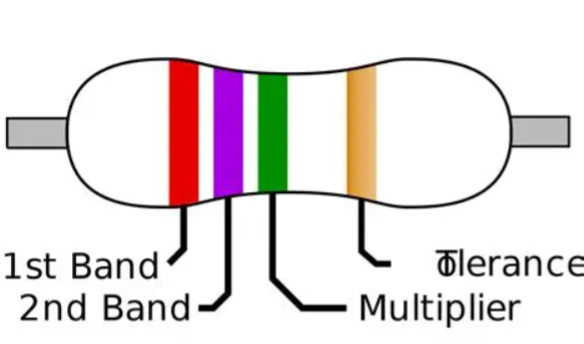
Use 10kΩ pull-down resistor for stable Arduino readings
Max switching current is 0.5A - use a relay for loads

Technical Specifications

ParameterValue
MaterialPolypropylene (PP)
MountingHorizontal side-mount
Contact Rating10W max
Switching Voltage100V DC max
Switching Current0.5A max
Temperature Range-10°C to +85°C
OutputDigital ON/OFF (reed switch)

= Key Features =

CorrosionResistant PP Suitable for water and non-corrosive liquids

Configurable Output - Can be wired as NO or NC

Compact SideMount Design Easy tank wall installation

Long Service Life - Reliable reed switch mechanism

Simple Integration 2wire interface for Arduino[citation:2]

= Applications =

  1. Tank and reservoir level monitoring[citation:1]
  2. Pool water level control[citation:2]
  3. Hydroponics and irrigation systems
  4. Aquarium water level automation
  5. Pump control and alarm systems
  6. IoT water monitoring projects
Reliable Level Detection - Mechanical float actuation
Arduino Compatible - Simple digital input

√ 2-wire connection for easy wiring

√ Corrosion-resistant PP construction

√ Works with Arduino, ESP32, Raspberry Pi[citation:2]

Connection Guide

Wiring to Arduino:

  • One wire: Connect to 5V or 3.3V
  • Other wire: Connect to digital input pin
  • Add 10kΩ pull-down resistor to ground

Reading the sensor:

  • Use digitalRead(pin) to get state
  • HIGH = float up (or down, depending on orientation)
  • LOW = float down (or up)
Mount sensor at desired trigger level
Flip sensor orientation to change NO/NC behavior[citation:2]
Do not exceed 0.5A through the switch
Use a relay for pumps or high-current loads[citation:1]

Wiring Tips

Always treat this as a low-current signal device. For controlling pumps or other loads, use the sensor to trigger a microcontroller, which then activates a relay or MOSFET[citation:1]. This protects the reed switch from damage.

Simple Interface - Just two wires and a resistor

Safe Operation Lowcurrent sensing protects the switch

Used in hydroponics and aquariums
Reliable and cost-effective

√ 10W contact rating for control signals

√ PP body resists water damage

Troubleshooting

Sensor not triggering:

  • Check orientation - float may need to be up or down
  • Verify pull-down resistor connection
  • Avoid loose wiring

Erratic readings:
  • Ensure sensor is securely mounted
  • Check for debris blocking float movement
  • Use software debounce in Arduino code